Search & security
Redirects
Rename a page, reorganise your site or move here from another builder without losing the visitors and search rankings the old addresses earned. pepita answers old addresses with real server redirects.
How redirects work
When you rename or remove a page, a redirect sends anyone who follows the old address to
the new one. pepita answers with a real 301 or 302 from the
server, so search engines learn that the page moved and nothing depends on JavaScript.
There are two ways to set them up, and they edit the same thing:
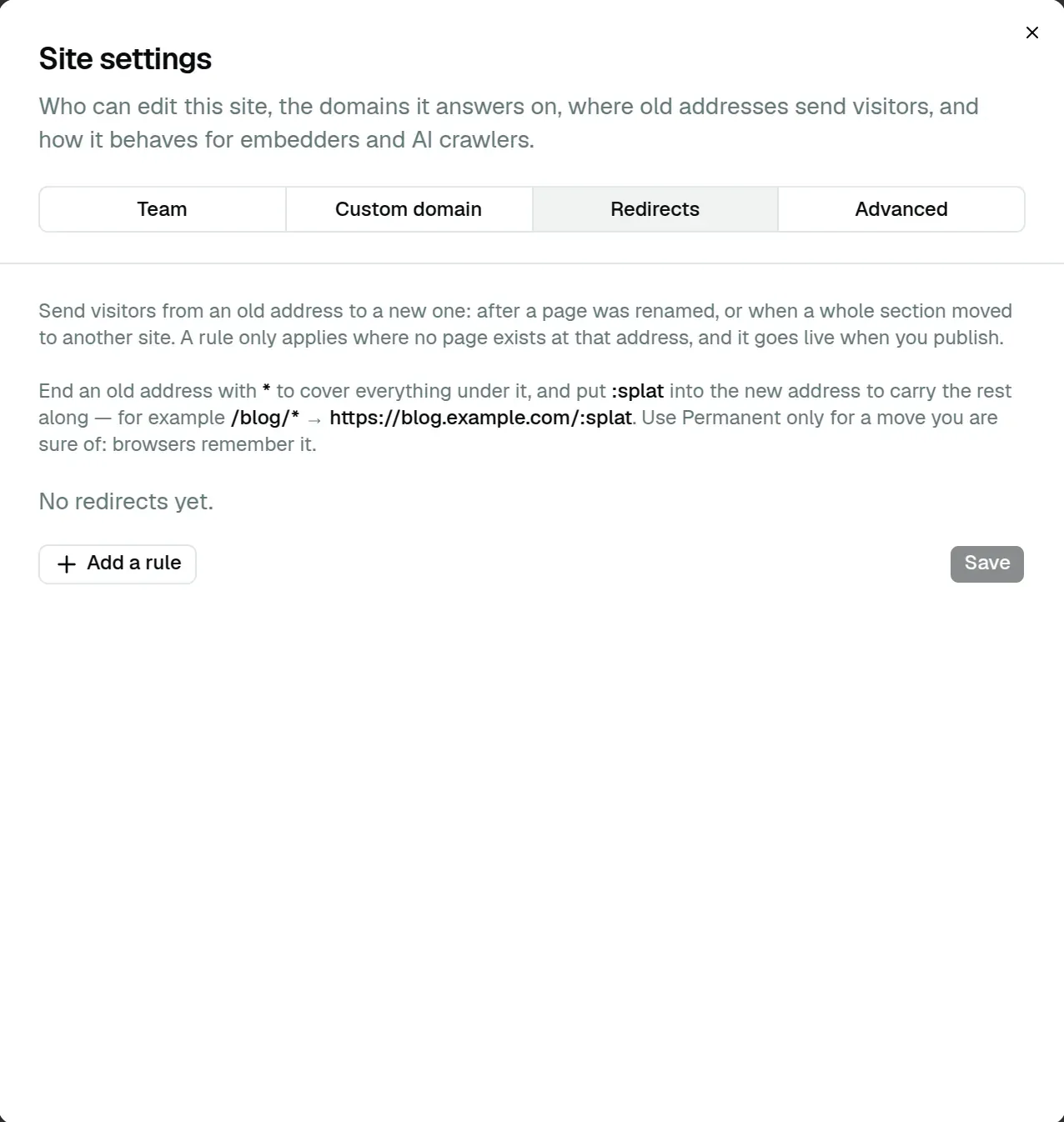
- In the editor, open Settings → Redirects and add a row per old address.
- Or keep a file called
_redirectsin the root of your site, one rule per line. It is the format other static hosts use, so rules you bring from elsewhere keep working.
_redirects file.# old address new address status
/about.html /about/ 301
/blog/* https://blog.example.com/:splatThe rules
/. It matches exactly, unless it ends in *, which matches everything after it.https:// address. :splat puts back whatever the * matched.301, 302, 303, 307 or 308. Leave it out and you get 302.?utm_source=… is carried over to the new address./* can't take
down your home page. To redirect a page that still exists, delete the page too.302 unless the move is permanent.
Browsers remember a 301, so if you later change where it points, people who
already followed it keep going to the old target.Redirects take effect when you publish. The preview inside the editor doesn't follow them, but a preview link uses its own copy of the rules, which makes it the safe place to try one first.
Moving a site to pepita
If your old site used different addresses, list each old address with its new one before
you point your domain at pepita. Use 301 for
these: the move is permanent, and it tells search engines to carry the old page's ranking
over to the new one.
- Make a list of your old site's addresses. Its
sitemap.xmlis usually the quickest source. - Add a
301rule for every address that changed, in Settings → Redirects or in_redirects. - Check a few rules on a preview link, then publish.
- Connect your custom domain.
The full technical contract is on the developer page,
and your AI can read it with the get_building_guide tool.